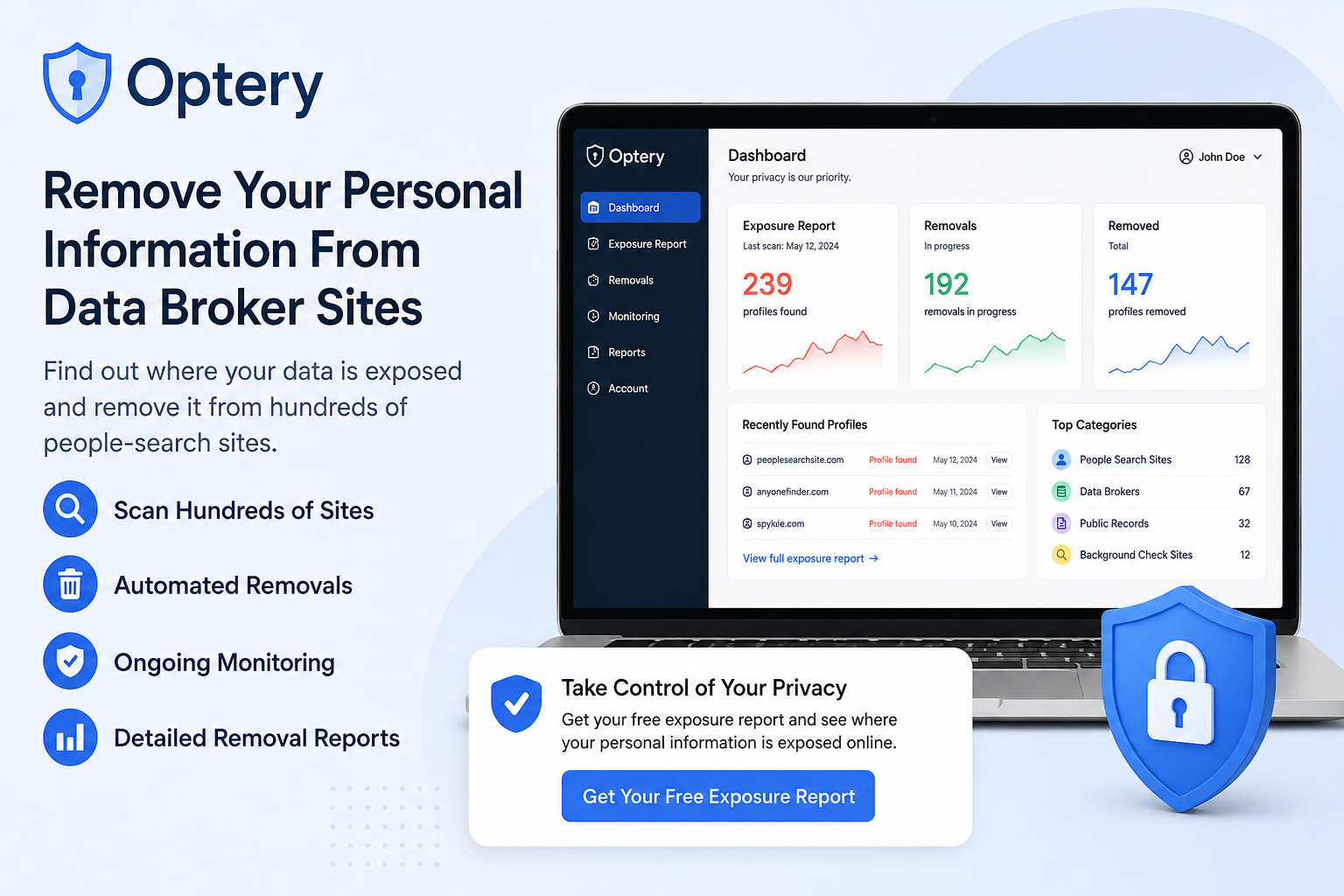
Your personal information may be available online in more places than you realize.
Home addresses, phone numbers, email addresses, age, and other personal details can appear on data broker and people-search websites. Finding these profiles manually — and then submitting individual opt-out requests — can be a time-consuming process.
Optery is an online privacy service designed to help users discover where their personal information is exposed and request its removal from data broker websites.
In this Optery review, we’ll look at how the service works, its main features, pricing options, and who may benefit from using it.
What Is Optery?
Optery is a personal data removal service focused on helping individuals reduce the amount of personal information available through data brokers and people-search websites.
Instead of manually searching hundreds of websites, users can create an Optery account and receive a personalized Exposure Report showing where their information has been discovered.
Optery offers both free self-service tools and paid automated removal plans.
This makes it possible to start by checking your online exposure before deciding whether you want to pay for automated removals.
How Does Optery Work?
Getting started with Optery is relatively straightforward.
1. Create a Free Account
You can start with Optery’s Free Basic plan.
Optery uses information such as your name, birth year, city, and state to search for profiles that may belong to you.
A credit card is not required for the Free Basic plan.
2. Receive Your Exposure Report
Optery scans supported data broker and people-search websites and creates a personalized Exposure Report.
One of the most useful parts of this report is that it can include screenshots showing where your personal information was discovered.
Instead of simply receiving a list of websites, you can see evidence of the profiles Optery found.
The report can help you understand how widely your personal information may be distributed online.
3. Remove Profiles Yourself or Upgrade
Once you’ve identified exposed profiles, you have two main options.
You can use Optery’s self-service tools to submit opt-out requests yourself.
Alternatively, you can upgrade to a paid plan and let Optery manage supported removal requests on your behalf.
For people who don’t want to spend hours navigating different data broker opt-out procedures, the automated option may be particularly useful.
Key Optery Features
Free Exposure Report
You don’t necessarily need to purchase a subscription to start using Optery.
The Free Basic plan includes a personalized Exposure Report with screenshots, allowing you to see examples of where your personal information appears online.
This is a useful starting point if you’re simply curious about your current online exposure.
Automated Data Removal
Paid Optery plans automate removal requests across supported data brokers and people-search sites.
Optery also continues scanning and submitting or re-submitting removal requests on an ongoing basis for paid customers.
This matters because personal information can sometimes reappear after it has previously been removed.
Hundreds of Supported Sites
Depending on the plan selected and enabled features, Optery can provide automated removal coverage across hundreds of supported sites.
Higher-tier plans provide broader coverage and additional removal capabilities.
Because coverage can change as Optery adds or removes supported data brokers, it’s worth checking the current coverage list before choosing a subscription.
Exposure Monitoring
Privacy isn’t necessarily a one-time task.
New databases can appear, existing data brokers can republish information, and previously removed profiles may return.
Optery’s ongoing scanning helps users monitor their exposure rather than relying on a single cleanup.
Removal Reports
Eligible higher-tier customers can receive Removals Reports showing the progress of their removals.
Where screenshots are available, these reports can provide before-and-after evidence showing that information previously displayed on a data broker site has been removed.
Optery Pricing
Optery currently offers several individual plans, including:
Free Basic — Free monitoring, Exposure Reports, and self-service removal tools.
Core — An entry-level paid option offering automated removal from hundreds of supported sites.
Extended — Provides broader data broker coverage and additional features.
Ultimate — Optery’s most comprehensive individual plan, designed for users seeking maximum coverage and additional removal capabilities.
Paid individual subscriptions also come with a 30-day money-back guarantee according to Optery’s current pricing information.
Prices and coverage can change, so always check Optery’s official pricing page for the latest information before subscribing.
Who Should Consider Optery?
Optery may be particularly useful for people who:
- Want to know where their personal information appears online
- Don’t want to manually search data broker websites
- Receive unwanted spam calls or messages
- Want to reduce their publicly accessible personal information
- Are concerned about their home address or phone number appearing online
- Prefer automated opt-out requests instead of handling removals manually
- Want ongoing monitoring after initial removals
It can also be useful for professionals and other individuals who place a high value on keeping their personal information less accessible online.
Free vs. Paid Optery: Which Should You Choose?
For many people, starting with the Free Basic plan makes sense.
It allows you to see what Optery discovers before paying for automated removals.
After receiving your Exposure Report, you can decide whether you want to handle the opt-outs yourself.
If only a small number of profiles concern you, manual removal may be enough.
However, if your information appears across many data broker sites, paying for automated removal can save considerable time.
Is Optery Safe to Use?
An important consideration with any data removal service is that it needs enough identifying information to locate the correct profiles.
Optery states that it requires only the minimum information necessary by default to locate users and submit removal requests.
Users can optionally provide additional information to improve matching accuracy.
As with any privacy service, you should review the company’s privacy policy and terms before providing personal information.
Can Optery Remove Everything About You From the Internet?
No.
This is an important distinction.
Optery primarily focuses on data brokers and people-search websites. It cannot simply erase every piece of information about you from the entire internet.
Additionally, third-party data brokers ultimately control whether and when they comply with removal requests.
Therefore, personal data removal should be viewed as a process for reducing your online exposure, not guaranteeing complete disappearance from the internet.
Optery Pros and Cons
Pros
- Free Basic account available
- No credit card required to start the free plan
- Personalized Exposure Reports
- Screenshots can show where information was found
- Free self-service removal tools
- Automated removals available with paid plans
- Coverage across hundreds of data broker and people-search sites
- Ongoing monitoring and repeated removal requests
- Multiple plans for different privacy needs
Cons
- Automated removals require a paid subscription
- Removal can take time depending on the data broker
- No service can guarantee removal of all personal information from the internet
- The highest level of coverage requires a higher-tier subscription
Is Optery Worth It?
If you’re concerned about how much personal information is available through data brokers, Optery offers an easy way to investigate your exposure.
The biggest advantage is that you can start for free.
You can create a Free Basic account, receive an Exposure Report, and see where your information appears before deciding whether automated removal is worth paying for.
People comfortable managing opt-out requests themselves may find the free tools sufficient.
For users whose information appears across many sites — or anyone who simply doesn’t want to spend time handling individual removal requests — a paid Optery plan can provide a more convenient approach.
Final Verdict
Optery provides a practical combination of personal data discovery, monitoring, and removal tools.
Rather than requiring you to immediately purchase a subscription, the Free Basic plan lets you first see examples of where your personal information is exposed.
From there, you can choose between handling removals yourself or upgrading to automated removal.
If protecting your online privacy and reducing your presence on data broker websites is important to you, Optery is worth considering.
Check Your Personal Data Exposure
Want to see where your personal information may be appearing online?
Start with Optery’s Free Basic account and get your personalized Exposure Report.
No credit card is required to get started.