Choosing the right business phone system can make a significant difference in how a company communicates with customers. For small businesses, startups, and remote teams, a traditional phone system may be more complicated and expensive than necessary.
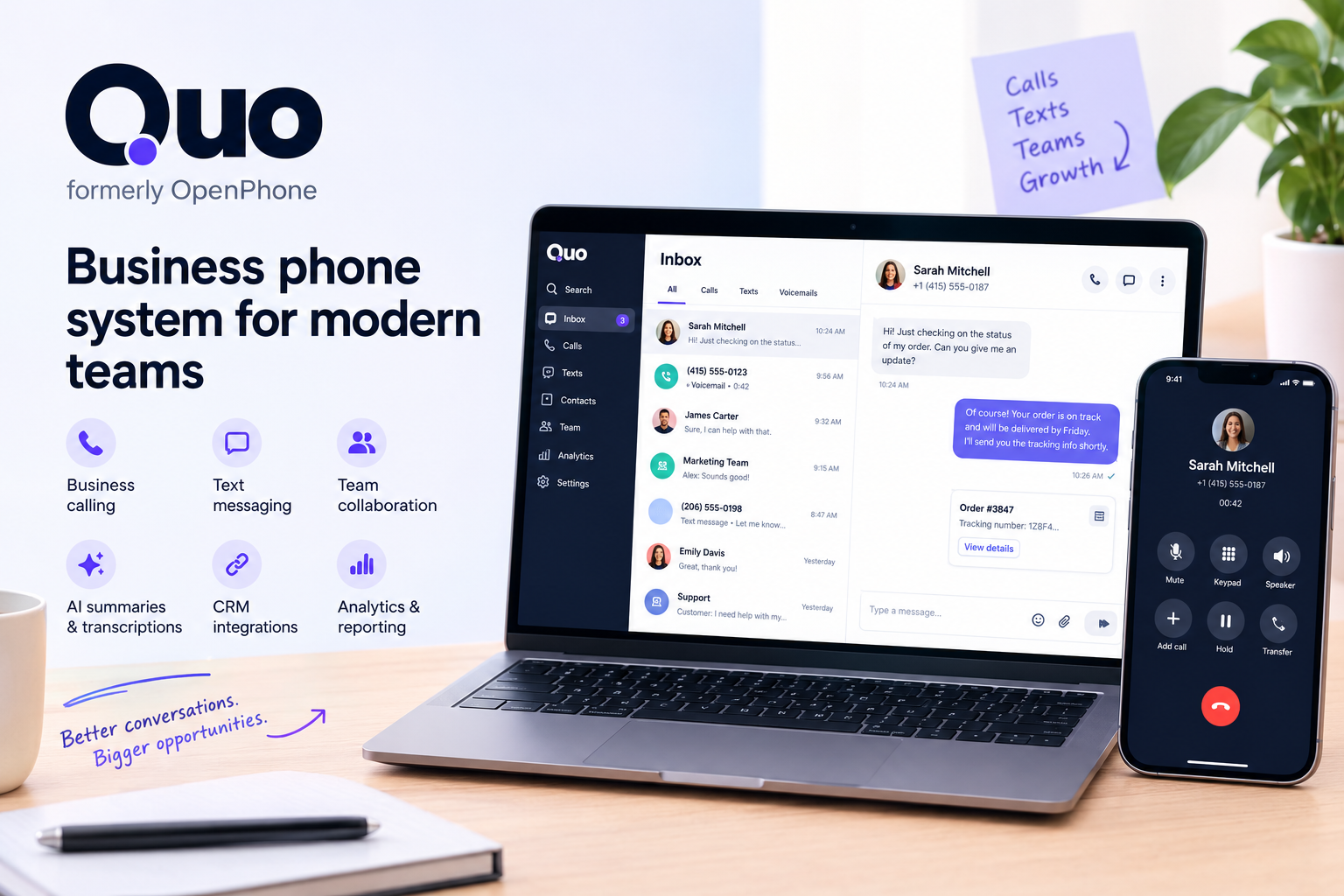
Quo, formerly known as OpenPhone, is a cloud-based business phone platform designed to help teams manage business calls, text messages, and customer conversations in one place. It combines business phone numbers with collaboration tools, integrations, and AI-powered features.
But is Quo worth the cost? In this Quo review, we will explore its key features, pricing plans, advantages, disadvantages, and the types of businesses that may benefit most from using it.
What Is Quo?
Quo is a business communication platform that allows companies to make and receive calls, send text messages, and manage customer conversations using business phone numbers.
Unlike a traditional office phone system, Quo works through internet-connected devices, including smartphones and computers. This makes it suitable for businesses with remote employees, distributed teams, or owners who need to separate business communications from personal calls.
Quo was previously known as OpenPhone. Businesses searching for OpenPhone reviews, pricing, or alternatives may therefore encounter Quo under its current brand name.
The platform is particularly relevant to:
- Small business owners who need a dedicated business number.
- Startups looking for a flexible phone system.
- Sales teams that communicate with prospects by phone and text.
- Customer support teams managing incoming inquiries.
- Remote teams that need shared access to business conversations.
- Service businesses that want a more organized way to handle customer communication.
Rather than providing only a phone number, Quo aims to help businesses manage conversations and collaborate more efficiently.
Quo Features: What Do You Get?
1. Business Phone Numbers
One of Quo’s core features is the ability to use a dedicated business phone number without relying on a separate physical office phone.
Depending on the plan and availability, users can obtain a new number or transfer an existing number to the platform.
This can help business owners maintain a more professional presence while keeping personal and work communications separate.
A dedicated business number can also make it easier to establish consistent communication channels as a company grows.
2. Business Calling and Text Messaging
Quo combines phone calls and text messaging within a business communication platform.
Teams can use it to respond to customer questions, follow up with leads, confirm appointments, and maintain ongoing conversations.
For businesses that rely on both calls and messages, having these communication channels together can reduce the need to switch between multiple applications.
Calling and messaging availability, including supported destinations and usage limitations, should be checked against the current plan terms.
3. Shared Phone Numbers for Teams
Managing a business phone number becomes more complicated when several employees need to respond to customers.
Quo supports shared numbers and team-based conversation management, allowing authorized team members to access relevant customer communication.
This can be useful when:
- Multiple employees handle the same customer inquiries.
- A sales team needs visibility into prospect conversations.
- Customer support responsibilities change between team members.
- Business owners want to reduce the risk of missed messages.
Shared communication can also make it easier to maintain continuity when an employee is unavailable.
4. AI Call Summaries and Transcriptions
Quo offers AI-powered call summaries and transcription features on eligible plans.
These tools can help teams review important conversations without relying entirely on manual notes. Call summaries may be especially useful for sales representatives, account managers, and customer service employees who handle numerous calls each day.
Transcriptions can also make it easier to revisit important details after a conversation.
Availability varies by plan, so businesses that need advanced AI functionality should compare the included features before subscribing.
5. Automated Call Handling
As a business receives more calls, manually routing every inquiry can become inefficient.
Quo provides features such as phone menus, call transfers, and customizable call handling on eligible plans. These tools help businesses direct incoming calls to the appropriate person or team.
The platform also offers Sona, an AI-powered phone agent designed to help businesses handle incoming calls.
For small companies without a dedicated receptionist, these capabilities may help improve call management and reduce the amount of time spent handling routine inquiries.
Businesses should review the current feature limits and any additional usage charges before relying on AI call handling for high call volumes.
6. CRM Integrations and Reporting
Customer communication is often closely connected to sales and customer relationship management.
Quo supports integrations with selected business tools, including HubSpot and Salesforce on eligible plans.
These integrations can help teams connect phone conversations with their existing sales workflows.
The platform also offers analytics and reporting features on higher-tier plans, giving businesses additional visibility into their communication activity.
For growing teams, these capabilities may be more valuable than a basic phone service that only supports calling and texting.
Quo Pricing: How Much Does It Cost?
Quo uses per-user subscription pricing, meaning the total cost depends partly on how many team members need access.
According to Quo’s official pricing page, the listed annual-billing rates are as follows:
| Plan | Price per user/month, billed annually | Best for |
|---|---|---|
| Starter | $15 | Individuals and small teams |
| Business | $23 | Growing teams needing advanced call management |
| Scale | $35 | Teams requiring additional support and AI features |
Monthly billing is available at higher rates. Prices, included features, taxes, and usage-related charges may change, so check the official Quo pricing page before purchasing.
Starter Plan
The Starter plan is designed for businesses that need essential phone and messaging capabilities.
Depending on the current terms, the plan includes a business phone number, calling and messaging to supported US and Canadian numbers, voicemail transcripts, and access to the platform’s core communication tools.
It may be a suitable starting point for a freelancer, solo entrepreneur, or small business that wants to establish a dedicated business phone line.
Business Plan
The Business plan adds more advanced communication and collaboration capabilities.
Features include AI call summaries and transcripts, group calling, call transfers, phone menus, analytics, and selected CRM integrations.
Businesses with multiple employees or regular customer calls may find this tier more useful than the entry-level plan.
Scale Plan
The Scale plan is designed for teams that need additional operational support.
It includes features from the Business plan along with capabilities such as AI call tags, dedicated onboarding, priority support, and inbound phone support, according to the current plan comparison.
Larger or faster-growing teams may benefit from these additional resources when communication becomes a more important part of daily operations.
Which Quo Plan Should You Choose?
The right plan depends on how your business communicates.
- Choose Starter if you mainly need a separate business number and essential calling and messaging tools.
- Choose Business if you want advanced call management, AI summaries, reporting, and CRM integrations.
- Choose Scale if your team needs more advanced support and additional operational assistance.
Before selecting a plan, calculate the cost for your entire team rather than comparing only the per-user price. Also consider whether the features you need are included or subject to additional charges.
Quo Pros and Cons
Like any business phone platform, Quo has advantages and limitations that potential customers should consider.
Pros
1. Designed for small businesses
Quo focuses on business communication needs without requiring a traditional office phone infrastructure.
2. Supports remote work
Team members can manage business conversations through supported internet-connected devices.
3. Combines calls and messaging
Having these communication channels in one platform can simplify everyday customer interactions.
4. Includes collaboration tools
Shared numbers and team conversation management can help employees coordinate customer communication.
5. Offers AI-powered capabilities
AI call summaries, transcriptions, and the Sona phone agent can help automate parts of the communication workflow.
6. Offers multiple subscription tiers
Businesses can compare plans and select features based on their current requirements.
Cons
1. Subscription costs increase with team size
Because pricing is per user, monthly expenses can grow as more employees need access.
2. Advanced features require higher-tier plans
Businesses that need advanced analytics, CRM integrations, or additional call-handling capabilities may need a more expensive subscription.
3. Internet connectivity matters
A cloud-based phone platform depends on reliable connectivity and compatible devices for a consistent experience.
4. Usage terms require attention
Businesses should review messaging registration requirements, supported countries, fair-use policies, and any applicable fees.
5. Not every business needs its advanced features
A company that only needs an inexpensive phone line may not benefit enough from team collaboration and AI tools to justify the subscription.
Who Should Use Quo?
Quo may be a good fit for several types of businesses.
Small Businesses and Startups
Small companies often need a professional way to communicate with customers without investing in a traditional office phone system.
Quo offers business phone numbers and team communication features that can support these requirements.
Sales Teams
Sales representatives frequently call prospects, send follow-up messages, and coordinate conversations with colleagues.
Quo’s shared communication tools and selected CRM integrations may help teams organize these activities.
Customer Support Teams
Businesses handling regular customer inquiries may benefit from shared numbers, call transfers, and phone menus.
These capabilities can help teams organize incoming calls and direct customers to the appropriate person.
Remote and Distributed Teams
Companies with employees working from different locations may prefer a cloud-based solution over a phone system tied to a physical office.
Quo provides a way to manage business communications through supported devices, making it worth considering for remote-first operations.
Freelancers and Consultants
Freelancers and consultants may want a separate number for client communication without sharing their personal phone number.
However, solo professionals with minimal call volume should compare the subscription cost with simpler alternatives before deciding.
Quo vs. a Traditional Business Phone System
A traditional business phone system may require physical hardware, office-based infrastructure, or additional technical setup, depending on the solution.
Quo takes a cloud-based approach, allowing businesses to manage calls and messages through compatible devices connected to the internet.
| Factor | Quo | Traditional phone system |
|---|---|---|
| Setup | Cloud-based setup | May require hardware or installation |
| Remote work | Designed for internet-connected devices | Depends on system configuration |
| Team collaboration | Shared conversations and team features | Depends on the provider |
| AI features | Available on eligible plans | Depends on the system |
| Cost structure | Subscription per user | Varies by equipment and service |
| Best suited for | Small businesses and distributed teams | Businesses with specific telephony requirements |
Neither option is automatically better for every organization. Businesses with existing infrastructure, specialized telephony requirements, or particular compliance needs should evaluate their options carefully.
Is Quo Worth It?
Quo is worth considering if your business needs more than a basic phone number.
Its combination of calling, text messaging, shared conversations, call management, integrations, and AI-powered tools may be useful for businesses that communicate with customers throughout the day.
The value depends on how frequently your team uses these features. A growing sales or customer support team may benefit from centralized communication, while a solo business owner with very few calls may prefer a simpler and less expensive option.
The most practical approach is to identify your essential requirements, compare the available plans, and test the workflow before committing to a long-term subscription.
You can review the latest features and subscription options directly on the official Quo website.
Frequently Asked Questions About Quo
What is Quo used for?
Quo is used to manage business phone calls, text messages, shared phone numbers, and team communication. It also offers call management, integrations, and AI-powered features on eligible plans.
Is Quo the same as OpenPhone?
Yes. Quo is the current name of the business phone platform previously known as OpenPhone. People searching for OpenPhone can find the service under the Quo brand.
How much does Quo cost?
Quo’s listed annual-billing prices start at $15 per user per month for Starter, $23 for Business, and $35 for Scale. Monthly billing costs more. Always confirm current pricing on the official website.
Does Quo offer a free trial?
Quo advertises a seven-day free trial. Check the current signup terms to confirm eligibility and any applicable conditions.
Does Quo support business texting?
Yes. Quo supports business text messaging to eligible destinations, including US and Canadian numbers, subject to applicable registration requirements and usage policies.
Is Quo suitable for small businesses?
Quo is designed to serve small businesses and growing teams that need a dedicated business number, organized customer conversations, and collaboration features.
Does Quo have AI features?
Yes. Quo offers features such as AI call summaries, transcriptions, and its Sona AI phone agent. Specific capabilities and usage limits depend on the current plan and terms.
Is Quo better than a regular phone line?
It depends on your needs. Quo may be more useful if you need shared conversations, team collaboration, business texting, or call management. A basic phone line may be sufficient if you only need simple calling.
Final Verdict: Should You Try Quo?
Quo is a business phone platform worth evaluating if your company wants to organize calls, text messages, and customer conversations in one place.
Its strongest appeal is the combination of business phone numbers, team collaboration, call-handling tools, and AI-powered features. These capabilities may be especially useful for small businesses, startups, sales teams, and customer-facing organizations.
However, businesses should compare the cost per user, verify the included features, and review any usage-related charges before choosing a plan.
If you are looking for a cloud-based business phone system, start by comparing the available plans and determining which features your team will actually use.
Explore Quo: Visit the official website to review the latest plans and available features.